List View, also known as Document overview, is an indispensable feature of the WordPress editor that makes it easy for you to work with the blocks on your site. It allows you to view the exact order and structure of every block on the page, which is especially helpful if you have a page with a lot of content.
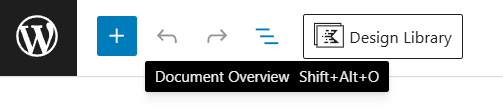
- To access the Document Overview or List View, click the icon that looks like three horizontal lines above each other at the top left corner of the editor. You can also use the keyboard shortcut Shift+Alt+O.
- Once you open the List View, you will see a list of all blocks on the page in order.
- Some blocks are nested (i.e., contained) within other blocks. Click the > symbol to the left of a block’s name to reveal the blocks inside. Click the > symbol again to collapse the list.
- Click on any block element to jump to its position on the page and open its settings.
Read more about the List View and its features at WordPress.com.
Last updated on March 7, 2026
Previous Article
next Article